Building a professional website is easier than ever, even for people who do not have
programming knowledge. Today, website-building platforms allow beginners,
students, and business owners to create attractive websites using simple tools and
ready-made designs. With the right platform and a clear plan, anyone can develop a
website to showcase their business, services, products, or personal portfolio.
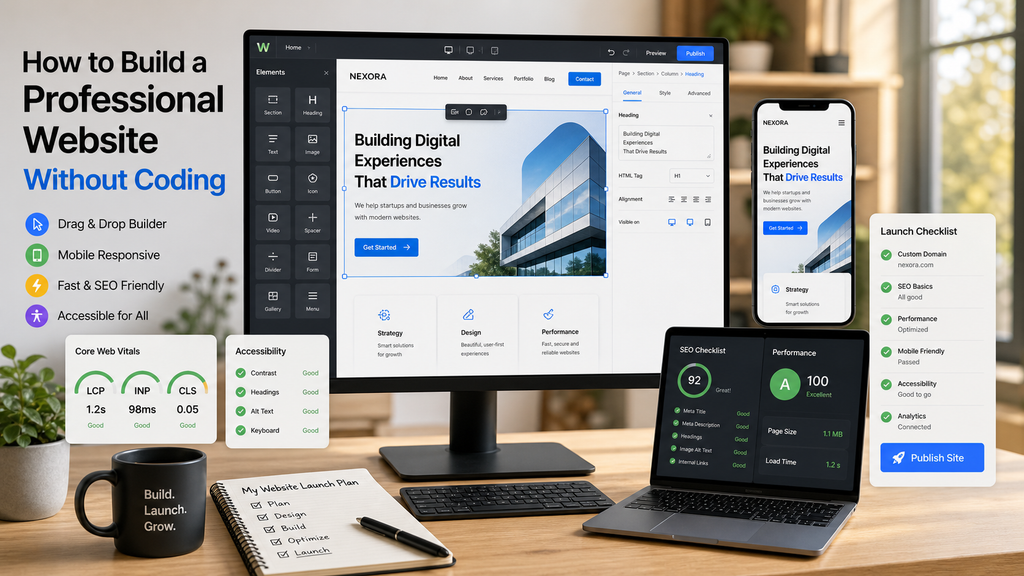
- Choose the Right Website-Building Platform
The first step is to select a platform that matches your requirements. WordPress is a
popular option because it offers flexible design features, themes, and plugins.
Beginners can use its visual editing tools to create web pages without writing code.
Other website builders also provide ready-made templates and simple editing
options.
Before selecting a platform, consider your budget, website purpose, customization
needs, and future growth.
- Plan Your Website Structure
Before designing the website, decide what information you want to share with
visitors. A professional business website commonly includes a Home page, About
Us page, Services page, Blog page, and Contact Us page.
Organizing these sections helps visitors find information quickly. Organize your
website with descriptive headings, user-friendly menus, and relevant information so
visitors can easily find what they need.
- Select a Professional Theme
A website theme determines its overall appearance, including colors, layouts, fonts,
and page styles. Choose a theme that matches your brand identity and works well
on desktop computers, tablets, and mobile phones.
Avoid using too many colors, animations, or decorative elements. A clean layout with
readable text and suitable images can create a better experience for visitors.
- Customize Your Website Using a Page Builder
Page builders such as Elementor help users design web pages through drag-and-
drop editing. You can add headings, images, buttons, text sections, contact forms,
and other elements without manually writing HTML or CSS.
For example, a training institute can create a homepage with course details, student
enquiry forms, placement information, and contact details. Preview the page
regularly to ensure that every section looks consistent and professional.
- Add Useful and Original Content
Content explains what your business offers and why visitors should choose your
services. Write clear descriptions of your products, services, courses, or business
activities. Use meaningful headings and short paragraphs to make the information
easier to read.
Add relevant images, testimonials where genuine, and clear calls to action such as
“Contact Us” or “Explore Our Courses.” Ensure that the content is original, accurate,
and useful to your target audience.
- Make Your Website SEO-Friendly
Search Engine Optimization (SEO) helps search engines understand your website
and can improve its visibility in search results. Use relevant keywords naturally in
page titles, headings, URLs, and content.
Add descriptive alt text to meaningful images, create a logical page structure, and
include internal links where useful. You can also generate an XML sitemap and
connect your website to Google Search Console to monitor indexing and search
performance.
- Ensure Mobile-Friendly Design and Fast Loading
Many people browse websites using smartphones, so responsive design is essential.
Check whether the text is readable, buttons are easy to tap, and images fit different
screen sizes.
Optimize image sizes, remove unnecessary plugins, and use reliable hosting to help
improve loading speed. A website that loads efficiently and works smoothly can
provide a better user experience.
- Test and Publish Your Website
Before publishing, check every page carefully. Test navigation menus, links, contact
forms, buttons, and images. Review spelling, grammar, mobile layouts, and page
loading speed.
Make sure your website uses HTTPS and that appropriate backups and security
measures are in place. Once everything is ready, connect your domain if required
and publish the website.
Conclusion
Building a professional website without coding is achievable with the help of
platforms such as WordPress and visual page builders. By planning the website
structure, choosing a suitable theme, creating useful content, applying basic SEO,
and testing the design, beginners can build an effective online presence. Regular
updates and improvements can help the website remain useful, secure, and relevant
as the business grows.